darsda Cards
Learn it once. Actually remember it.
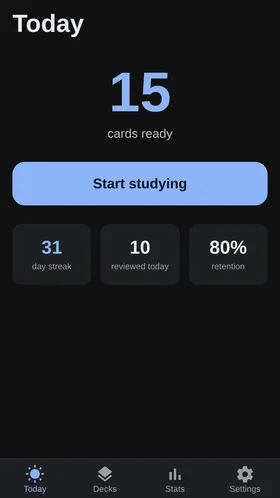
Cards turns whatever you're studying into decks of two-sided cards, then shows each one right before you'd forget it. A few minutes a day is enough.
Why spaced repetition works
Reviewing something once and moving on is how you forget it. Cards tracks how well you knew each answer and schedules the next review accordingly.
- 1
Answer honestly
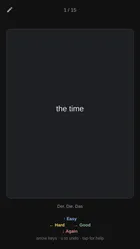
After each card you say whether it was easy or hard. That single tap is all the app needs.
- 2
The interval adapts
Cards you find easy come back in weeks. Cards you keep missing come back tomorrow.
- 3
The pile shrinks
Instead of rereading everything before an exam, you review a small handful each day — and it stays learned.
What's in it
Decks for anything
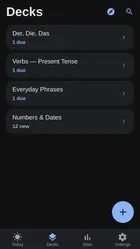
English vocabulary, medical terms, driving-test questions, kanji — if it has a front and a back, it fits on a card.
Built for a few minutes at a time
Review on the bus or between classes. Cards remembers where you stopped and what's due next.
See your progress
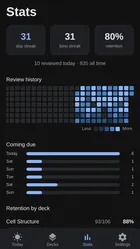
Track what you've learned, what's due today, and which cards keep tripping you up.
Phone and browser
Study on Android or in any browser — your decks are the same in both.
Questions about Cards
Is Cards free?
Yes. Cards is free to use, and we'll be clear well in advance if any advanced features become paid.
Do I need the app, or does the browser work?
Both work. Cards runs in any modern browser, and the Android app is on its way to Google Play.
Can I make my own decks?
Yes — you write the front and the back, and Cards handles the scheduling from there.
How is it different from Anki?
The idea is the same. Cards is built to be simpler to start with, works in Uzbek and Russian, and connects to the other darsda products as they launch.
Start with Cards
The first darsda product is ready. Open it in your browser and build your first deck in a couple of minutes.